AI expense tracker with bank-statement import
Every few days, I spent 30 to 60 minutes tracking my spending by hand. I built an app that reads my bank's statement, lets AI pick a category for each payment, and asks me to check each row. It also tells my girlfriend what she owes me.
- My role
- I designed the app and decided how it uses AI. Coding agents, Claude Code and Codex, wrote the code under my rules and checks.
- Status
- In daily use since April 2026. The code is private, so a demo video with sample data shows it working.
- Stack
- Android, Claude through my private AI gateway, Telegram Bot API, GitHub for backups and updates
- Scale
- About 1,000 transactions over two years, including the history I moved in from older apps
The problem
My bank, Toss Bank, gives me statements as password-protected Excel files. Each row has a date, an amount, and a short shop name.
I wanted to know where my money goes, and my girlfriend and I share many costs. So every few days I copied the rows into a budget app, chose a category for each one, and worked out her share.
How it grew
I started small. In April 2026 I built a Telegram bot in two days. It became a Telegram Mini App, a small web app inside Telegram, with an AI import. In June 2026 it became the Android app I use today.
How an import works
- Open the statement The app opens the bank's Excel file on the phone, with the saved password.
- Read the numbers Code reads each row's date, amount, and shop name. The AI never sets an amount.
- Match receipts For orders from Coupang, a Korean online store, the app finds the order email and adds the product names.
- AI picks a category Claude chooses from a fixed list of categories. My own rules for known shops come first.
- I check each row I mark who paid: I Pay Full, Half, or She Pays. I can fix any field or skip a row.
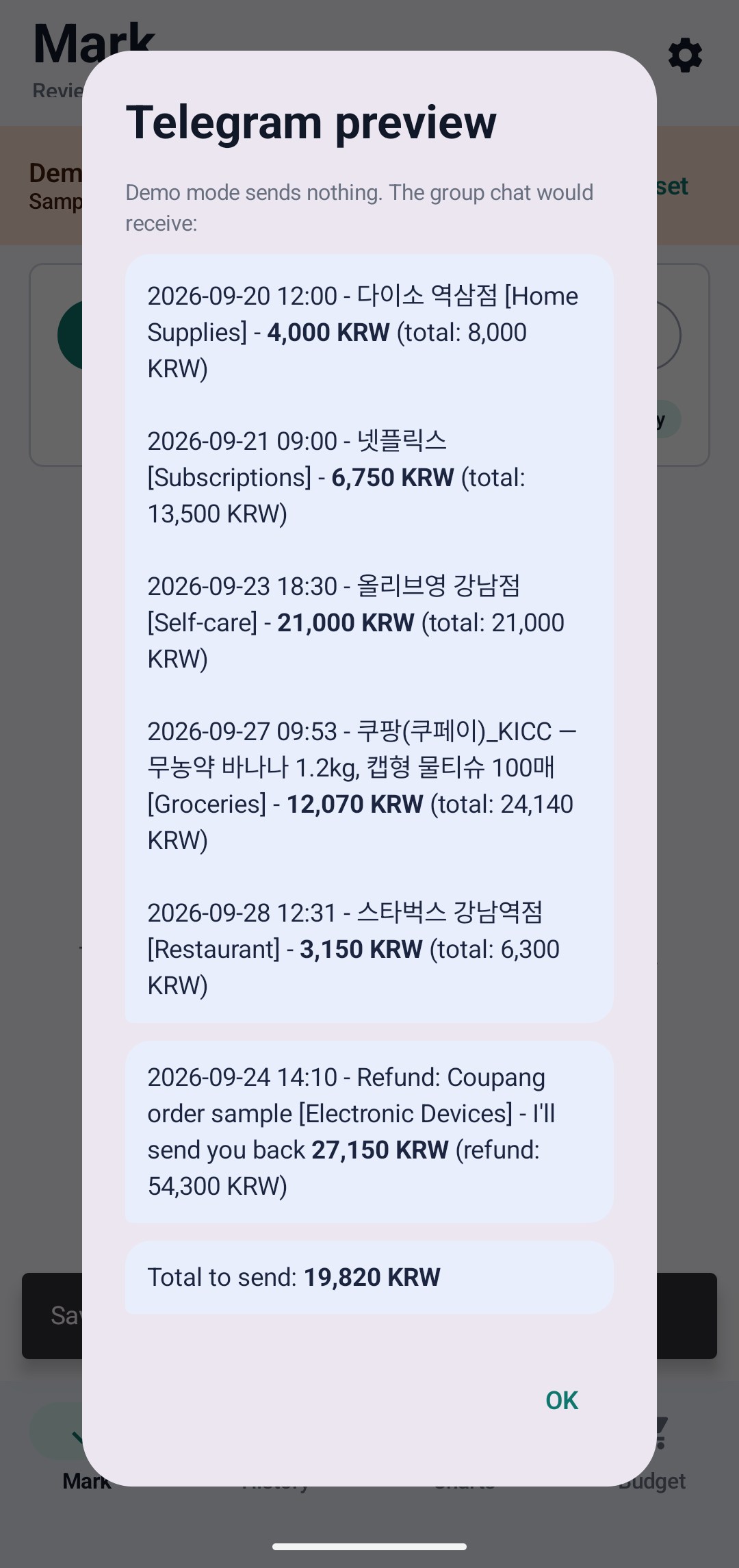
- Save and notify The rows are saved on the phone, and my girlfriend gets a Telegram message with her total.
- If the AI failsLocal rules label the rows, and an alert says why
- BackupA private GitHub repository, updated after each change
- UpdatesSigned app updates from GitHub Releases
Example: one bank row, step by step
-
The row in the bank's file
2026-09-23 11:52 · 쿠팡(쿠페이)_KCP · −12,800 KRW -
After the receipt match
쿠팡(쿠페이)_KCP — A4 복사용지 500매The order email names the product: a pack of A4 copy paper. -
What code reads, and what the AI adds
date: 2026-09-23amount: −12,800 KRWtype: expensecategory: Paperwork › Printing & scanning
-
I tap Half, and the Telegram message goes out
2026-09-23 11:52 - 쿠팡(쿠페이)_KCP — A4 복사용지 500매 [Printing & scanning] - 6,400 KRW (total: 12,800 KRW)
Design decisions
- Code handles the numbers. Once, the AI read my account balance as income. Now code reads every amount and date, and the sign of the amount decides whether a row is income or an expense. The AI only picks the category, so it cannot change a total.
- Better input beats a better prompt. Coupang charges all look almost the same on the statement, so no prompt could label them well. Matching each charge to its order email gave the AI the real product names. A receipt counts only when its total equals the charge and the email arrived within two hours of it.
- My rules come first. Rules I set for shops I know always win over the AI.
- Failures are never silent. If the AI call fails, or its labels do not fit the list, local rules label the rows and an alert says why. A row that nothing can label stays "Unknown" for me to fix.
- Decisions come from real data. Refunds used to count as income. In my own statements, 10 of 17 Coupang refunds matched exactly one earlier charge. So the app now takes those off the purchase by itself and leaves the rest for me to match.
- Private by default. The data lives on the phone. At import, only the statement text goes to the AI, through my own gateway. Backups go to a private GitHub repository and never include passwords or tokens.
See it working
Watch the 12-minute demo on YouTube The video shows the app in demo mode, with sample data only.Screenshots from the app's demo mode, which shows only sample data.
-
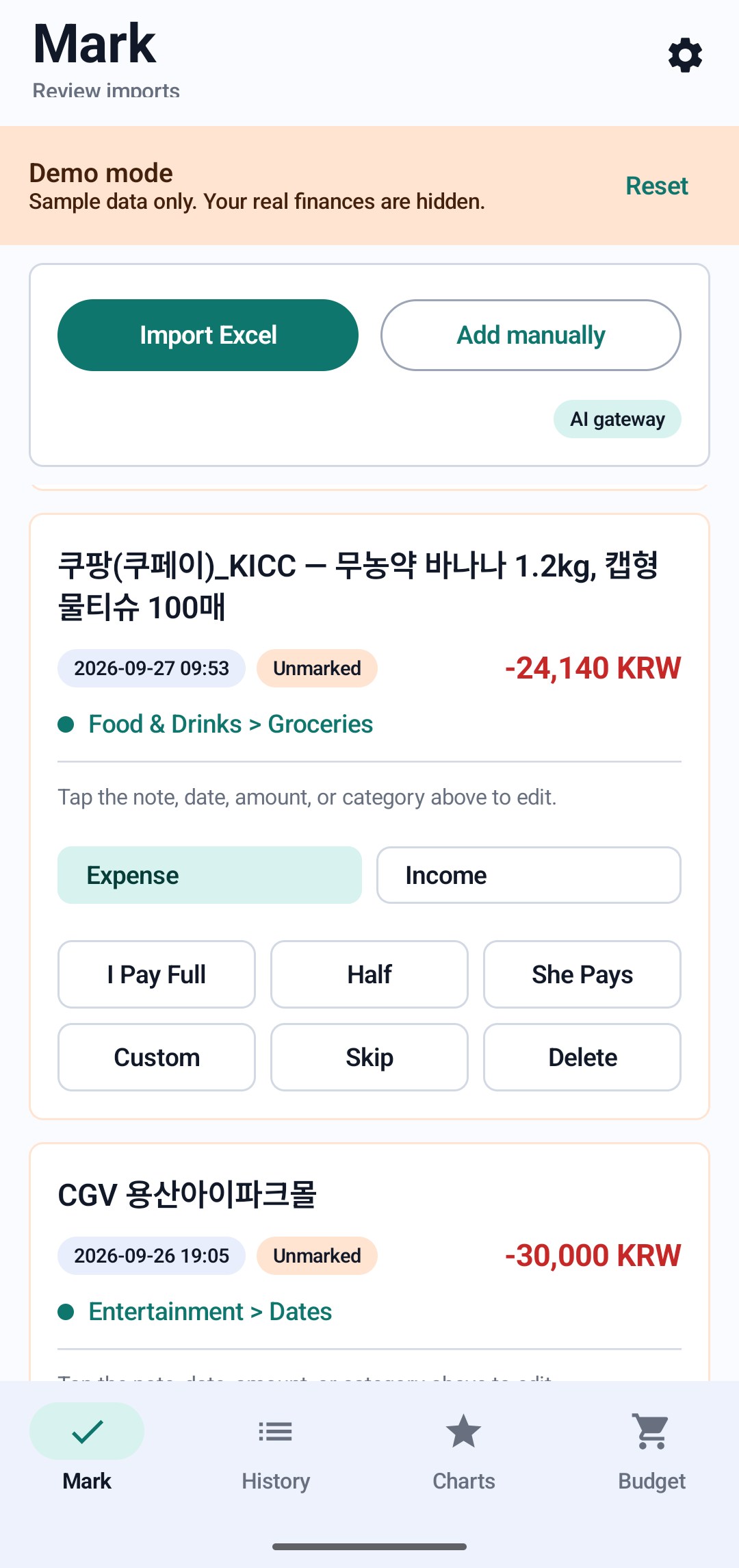
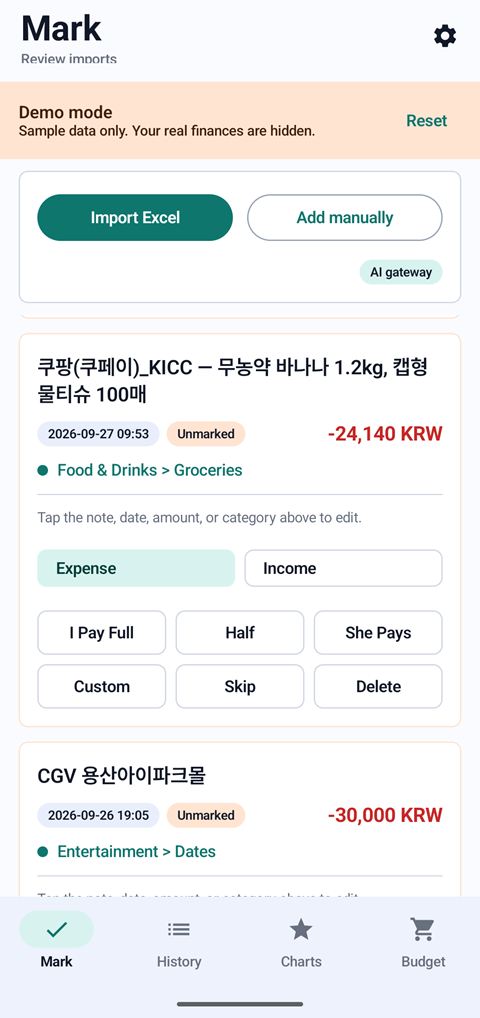 Checking rows: AI chose Groceries for this Coupang order, and I choose who paid
-
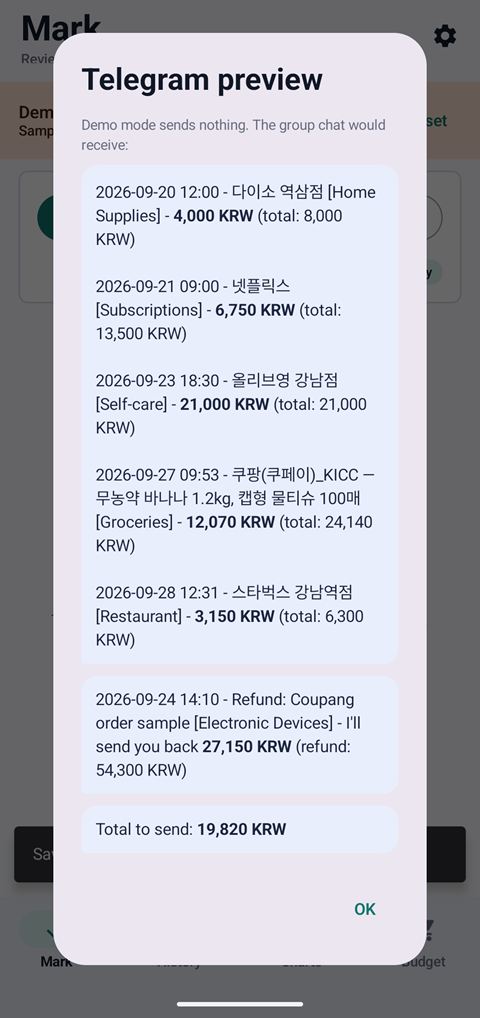 After Finish: the Telegram message my girlfriend would get, with each category and her total
-
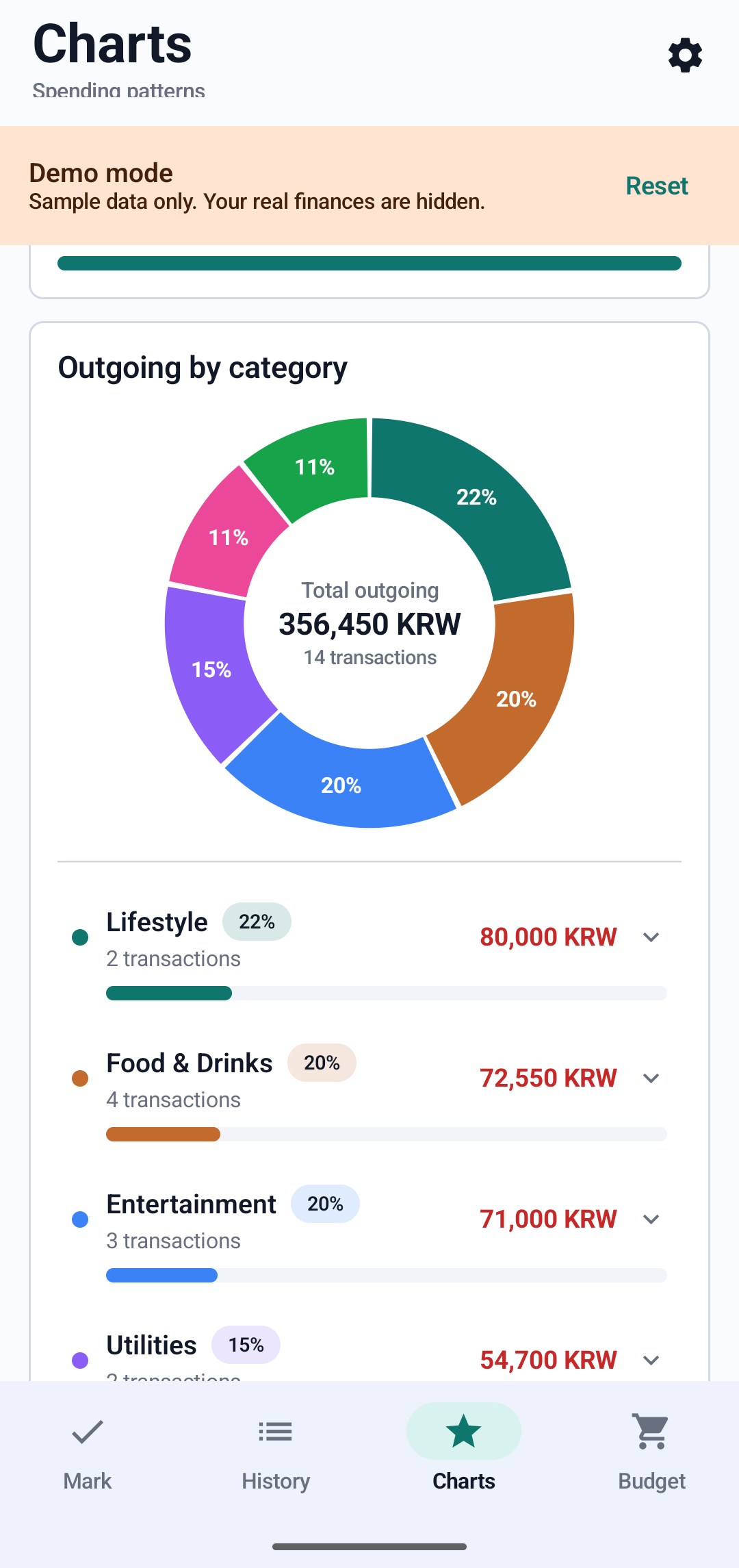
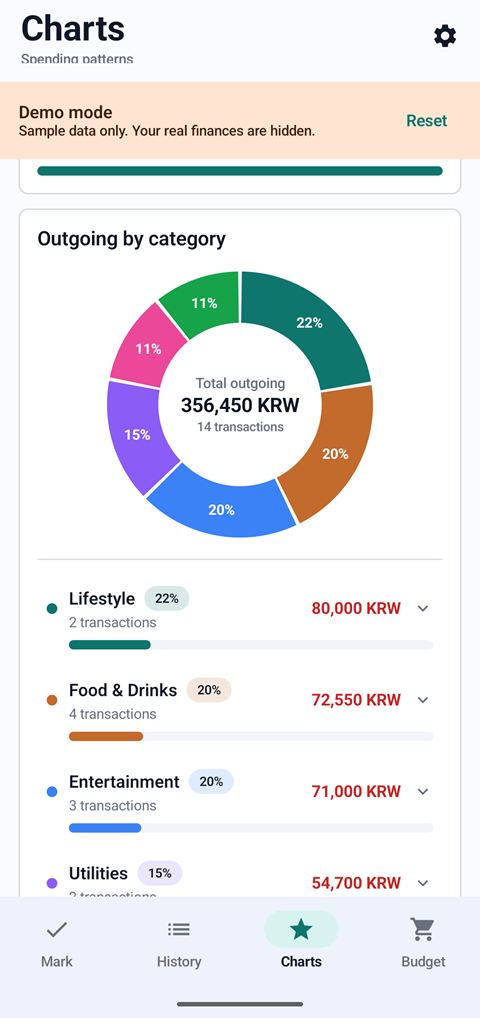 Charts: one month's spending by category
Results
- 40–100 hsaved a year, by my own estimate
- ~1,000transactions tracked, across two years of history
- Dailyin use since April 2026
An update used to take 30 to 60 minutes. Now an import takes 5 to 10 minutes.
Seeing my spending by category has also helped me save money.
The app's code is private. The video and the screenshots show demo mode, which runs on sample data.